Quick Takeaway Summary
A facebook session expired alert means Meta’s security framework has invalidated your active security token due to temporary browser cache corruption, parallel multi-device sessions, or network configuration mismatches. While everyday users can solve this by manually logging out, clearing cookies, or performing an app reinstallation, enterprise digital marketers and automation teams facing persistent facebook session expired loop errors require a robust network layer. Utilizing high-trust static ISP proxies or rotating mobile proxies prevents IP-shifting triggers, keeping business managers and ad profiles completely stable.
Introduction: What Does Session Expired Mean on Facebook?
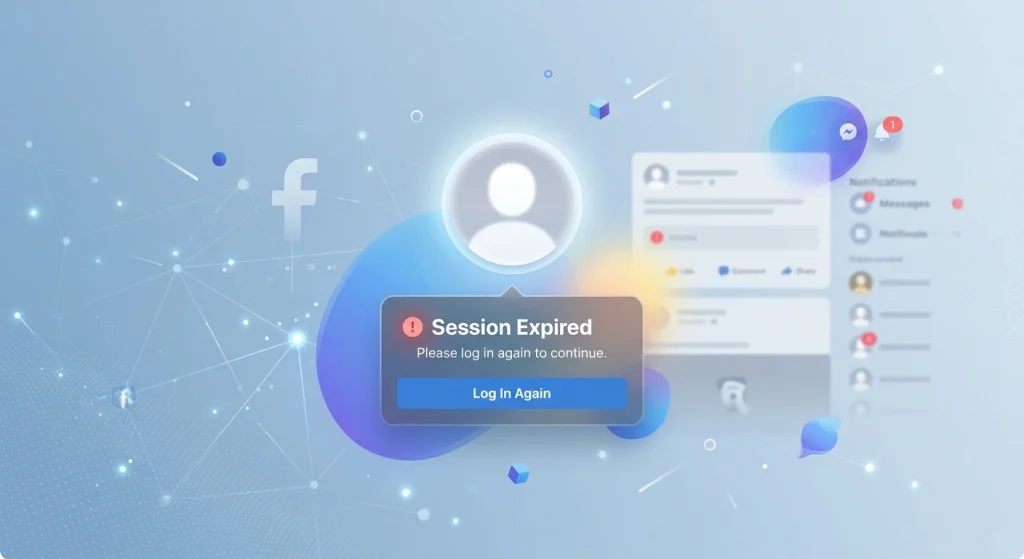
Few things disrupt a smooth digital workflow like an unexpected popup interrupting your scroll, ad campaign management, or customer service queue: “Session Expired. Please log in again.” If your screen suddenly locks and you are asking yourself, “what does session expired mean on facebook?” or “why does my fb keep saying session expired?”, you are experiencing a standard security safeguard.
A “session” is a temporary cryptographic handshake—often built on industry-standard OAuth 2.0 frameworks—between your specific device browser and Meta’s authentication servers. This unique token validates your identity so you do not have to type your password every single time you navigate to a new page or open an app.
When you encounter the facebook session expired warning, it indicates that Facebook has intentionally invalidated that active token. For casual users, it is a minor annoyance. However, for growth marketers, web scrapers, and digital agencies operating multiple profiles, falling into a continuous facebook session expired loop can stall multi-account operations, break automation sequences, and inadvertently flag high-value assets.
Why Does My Facebook Keep Saying Session Expired?
To permanently eliminate this error, we must analyze why it happens. According to global network logs and client audits at NiuProxy, continuous session drops generally stem from four primary architectural issues.
1. Cryptographic Token Lifespan (TTL)
Every secure web application uses a Time-To-Live (TTL) variable for session tokens. If an account remains idle for an extended period, Facebook’s security system automatically invalidates the token to protect the account from unauthorized physical access if a device is left unattended.
2. Corrupted Local Cache and Browser Cookies
Browsers and mobile operating systems store tiny data packets to speed up loading times. When Meta updates its application architecture, or if your local browser storage encounters a read/write conflict, the data sent to validate your session becomes fragmented. This fragmentation causes the system to throw a session expired facebook error.
3. Parallel Session Overlaps
If you log into a single account across a desktop computer, a tablet, a personal smartphone, and an external marketing automation tool simultaneously, Meta’s security algorithms evaluate the concurrent connections. If actions overlap unnaturally, the server forcefully terminates all connections to prevent data breaches, displaying session expired please login again facebook.
4. Dynamic IP Shifting and Geolocation Mismatches
This is the hidden culprit behind the most stubborn account lockouts. Facebook tracks the geographical location and network signature of every incoming request. If your internet service provider (ISP) suddenly rotates your IP address mid-session, or if your automation setup routes traffic through an unstable server pool, Facebook views the sudden change as a session hijacking attempt. The platform immediately terminates the connection, leading to the dreaded facebook keeps logging me out session expired cycle.
Technical Comparison: Casual Glitch vs. Marketer IP Blocks
| Feature | Casual User Session Drop | Marketer / Enterprise Session Loop |
| Primary Trigger | Inactivity or local browser cache corruption | IP address rotation, proxy leaks, fingerprint mismatches |
| Frequency | Occasional (once every few weeks/months) | Constant (every few minutes, creating a loop) |
| Device Context | Typically a single smartphone or personal laptop | Multiple automated browser profiles or remote teams |
| Core Resolution | Clear browser cookies or reinstall the app | Dedicate stable, clean static ISP proxies per account |
How to Fix Facebook Session Expired: Step-by-Step
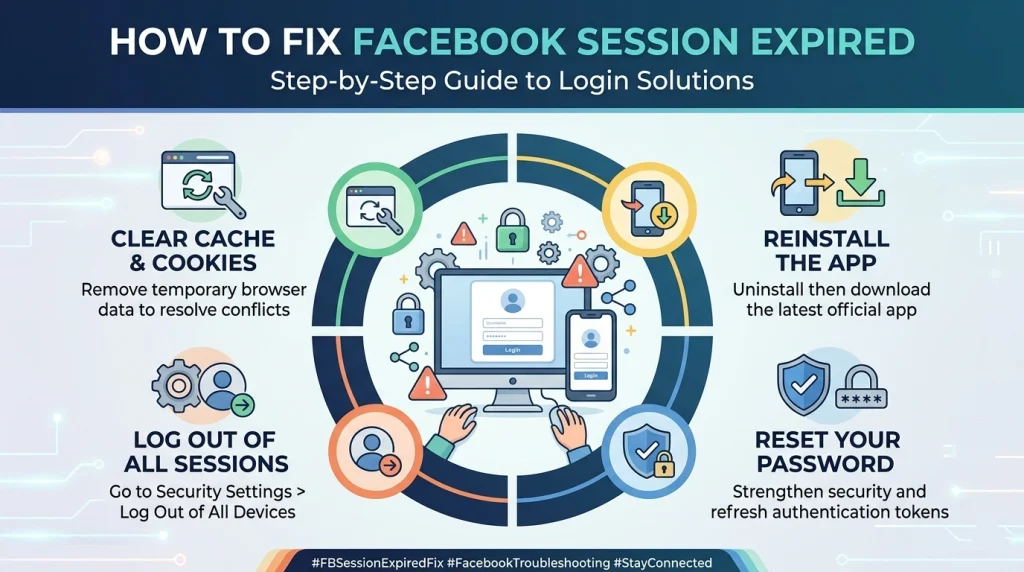
If you are dealing with a standard occurrence of facebook session expired please login again, follow these direct, practical methods to clear local data and re-establish a pristine authentication token.
Method 1: Execute a Manual Log Out and Fresh Authentication
Simply closing the browser tab or swiping the mobile application away from your background processes does not reset your token. You need to force a clean server-side handshake.
- Navigate to the top right corner of the Facebook interface and click your profile icon.
- Click Log Out to explicitly tell the server to destroy the active token.
- Close the browser entirely or kill the app process on your phone.
- Open a fresh window, manually input your credentials, and log back in.
Method 2: Clear Cookies and Local Cache Data (Desktop Browsers)
Corrupted local files are a common reason why does facebook keep saying session expired. Restoring your browser to a clean state removes conflicting scripts.
- Open your browser (e.g., Google Chrome) and press Ctrl + Shift + Delete (Windows) or Cmd + Shift + Delete (Mac).
- In the configuration window, select All Time as the time range.
- Select the checkboxes for Cookies and other site data and Cached images and files.
- Click Clear Data, restart your browser, and attempt a clean login.
Method 3: Clear Storage or Force Reinstall (Android & iOS)
When encountering a facebook android app session expired or facebook iphone session expired message, local mobile storage directories are frequently clogged by corrupted temporary files.
- For Android Environments: Open Settings > Apps > Facebook > Storage. Tap Clear Cache, followed by Clear Data. This resets the application configuration files without harming your personal account settings.
- For iOS Environments: Because Apple isolates application caches tightly, the most efficient method is to long-press the Facebook icon on your home screen, select Delete App, restart your device, and perform a fresh download via the official Apple App Store.
Method 4: Terminate Redundant Sessions Remotely
If your facebook account session expired notification is triggered by conflicting active devices, you can use the centralized Account Center to log out of all old hardware installations simultaneously.
- Go to Settings & Privacy > Settings on your Facebook account.
- Open the Meta Accounts Center dashboard and click on Password and Security.
- Select Where you’re logged in.
- Audit the list of devices. If you see redundant entries or old smartphone profiles, click Select devices to log out, select them all, and clear them out.
Advanced Prevention Strategies for Multi-Account Managers
Digital agencies, media buyers, and data specialists frequently manage multiple browser environments. If you are experiencing a continuous facebook session expired loop, traditional troubleshooting steps like clearing your cache will rarely fix the problem. The core issue is almost certainly a network infrastructure conflict.
The Danger of Shared Datacenter Infrastructure
When managing multiple corporate profiles or running automated workflows, relying on standard residential connections or low-quality public VPNs exposes your operation to significant risk. Standard residential lines shift your IP address continuously throughout the day. If an automated script triggers a task at the exact second your local router changes IPs, Facebook registers an impossible structural jump and logs you out with a session expired message facebook alert.
Worse yet, using cheap, shared datacenter proxy pools places your accounts on the exact same subnets as bad actors. When Meta identifies malicious bot behavior originating from a specific datacenter range, it flags the entire subnet. Any account authenticating through those IPs faces immediate verification checkpoints, password resets, or an endless loop of expired sessions.
How Premium Proxy Infrastructure Solves the Loop
To run scaling operations smoothly without running into security limits, you need to isolate each account’s network footprint perfectly.
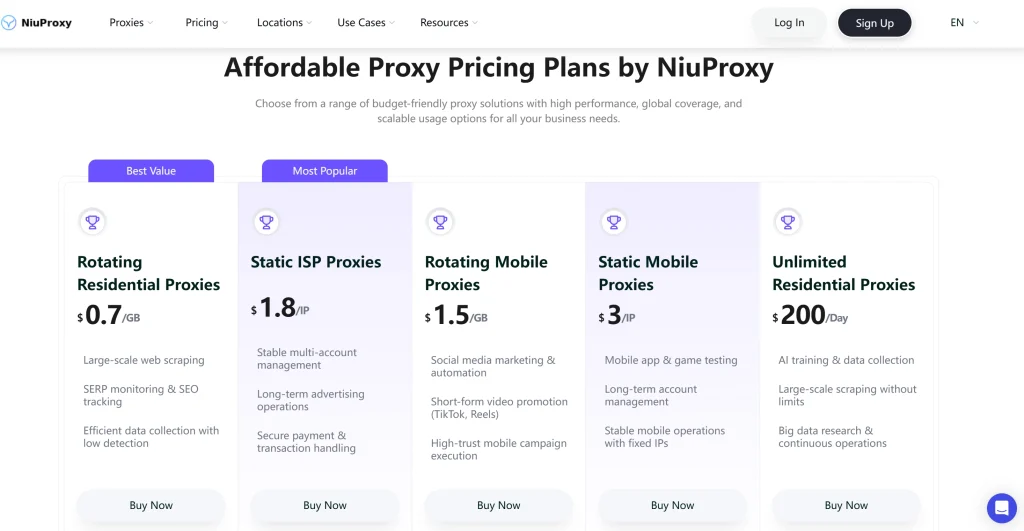
- Static ISP Proxies: For primary corporate assets, client pages, and ad accounts, consistency is paramount. NiuProxy’s static ISP proxies blend the residential reputation of genuine home internet connections with the uninterrupted uptime of standard data centers. Because your IP remains identical across every single login session, Meta’s detection systems observe zero structural changes, keeping your session intact.
- Rotating Residential Proxies: If your workflow requires gathering public marketing data, monitoring SERPs across regions, or executing automated scripts, rotating residential proxies give you access to an extensive pool of clean, real-user IP addresses globally. NiuProxy allows you to configure specific sticky session durations, maintaining a single clean node for up to 30 minutes before gracefully shifting to the next.
- Mobile Proxies (Static & Rotating): Mobile data networks have exceptionally high trust ratings within Meta’s anti-fraud frameworks. Because thousands of everyday cellular users routinely share the same mobile towers, Meta avoids aggressively banning mobile IPs. Utilizing NiuProxy’s specialized rotating mobile proxies or dedicated static mobile proxies ensures your automated setups mirror standard smartphone traffic, bypassing strict security scans.
The Ultimate Prevention Checklist
Run through this targeted audit checklist to optimize your system configuration and prevent unexpected session drops:
- Verify Core Platform Stability: Before adjusting local system variables, consult global health indexing platforms like Downdetector to ensure Meta isn’t experiencing a widespread platform outage.
- Audit Active Browser Add-ons: Ad-blockers and tracking-prevention tools can inadvertently block Facebook’s authentication scripts from updating security tokens.
- Bind Accounts to Unique Proxies: Ensure each distinct Facebook profile is strictly mapped to its own dedicated NiuProxy static ISP proxy to avoid geolocation cross-contamination.
- Utilize Isolated Anti-Detect Environments: Combine clean network proxies with dedicated anti-detect browser platforms to keep your cookies, canvas data, and hardware fingerprints completely separated.
- Activate Two-Factor Authentication (2FA): Securing your accounts with 2FA tells Meta’s security systems that your profile is highly verified, lowering the chance of automated security sign-outs.
Case Study: Resolving a Messenger Session Loop for a Remote Team
The Problem
A growing e-commerce brand operating remote customer service hubs encountered a critical issue: their support team was repeatedly locked out of their primary business inbox by persistent messenger session expired loop and facebook messenger session expired android errors. Every 10 to 15 minutes, agents across various regions were kicked out of the platform, slowing down customer response times and risking account restrictions.
The Investigation
A thorough review of their technical workflow revealed that multiple remote agents across different countries were logging into the same central corporate accounts simultaneously. Furthermore, the local office internet connections used dynamic IP schemes that rotated multiple times a day. To Facebook’s automated security algorithms, these accounts appeared to be compromised by malicious distributed bots jumping across different locations simultaneously, prompting immediate preventative logouts.
The Solution
The company implemented a structured two-layer fix:
- Profile Isolation: The team moved their support workflow into an anti-detect browser environment, assigning a dedicated profile container to each individual regional page.
- Dedicated Network Infrastructure: Each profile container was permanently routed through a high-trust static mobile proxy from NiuProxy, selected to match the primary target market’s country.
The Result
By stabilizing the network footprint and utilizing trusted mobile data streams, Meta’s security systems stopped triggering automated lockouts. The frequent session terminations dropped by over 98%, allowing the customer service team to maintain smooth, uninterrupted operations without any further security friction.
FAQ: Resolving Facebook Session Errors
What does session expired mean on facebook?
It means the platform’s security framework has invalidated your active session token. This happens automatically for safety to ensure that an unauthorized user hasn’t intercepted your login connection.
How to fix facebook session expired android?
Clear the app cache by navigating to Settings > Apps > Facebook > Storage > Clear Cache. If that fails, runway an uninstallation, restart your device, and pull down a fresh install from the Google Play Store.
Session expired facebook hacked how to recover?
If you suspect your session expired because an unauthorized party changed your login credentials, go immediately to the official recovery portal at facebook.com/hacked. Provide your linked phone number or email address, complete the identity verification steps, and initiate a secure password reset to reclaim your account.
Why does facebook show session expired when I try to deactivate my account?
This is an intentional security protocol. Meta requires an ultra-fresh, high-trust session token before executing destructive actions like account deactivation or deletion. Manually log out, log back in, clear your cookies, and immediately proceed to deactivation without opening other tabs.
Can cheap proxies cause a facebook login session expired loop?
Yes. Cheap or free datacenter proxies share bad subnet neighborhoods. When Facebook detects an account connecting from an IP associated with spam activity, it immediately invalidates the login session to protect the network. Using premium solutions like NiuProxy rotating datacenter proxies or residential networks prevents this risk.
Summary & Next Steps
Encountering a facebook session expired alert is typically a straightforward fix for casual users. However, if the error happens repeatedly, it points to deeper configuration conflicts within your browser data or your network IP layout. By cleaning up your local cache, updating your software, and anchoring your professional profiles to clean, reliable network infrastructures like NiuProxy, you can guarantee smooth, uninterrupted access to your digital assets.
Don’t let unexpected session drops break your marketing workflows or disrupt your automation channels. Explore how clean, specialized proxy routing can fortify your online operations.
Related Insights from the NiuProxy Labs:
- Why You Can’t Download Facebook Videos (And How to Fix It Fast)
- Instagram Proxies Explained (2026): Safe Automation & Account Scaling Guide
- What Is a Static ISP Proxy and Why Do Businesses Use It?
- Mobile Proxies Explained: How They Work and When to Use Them
- Extract Audio from YouTube Using yt-dlp Without Quality Loss